


7 Second Machine
For each Level or segment of the machine, you have a seven second loop to get all the balls into the collection area.
-- How To Play -- Very Important please read
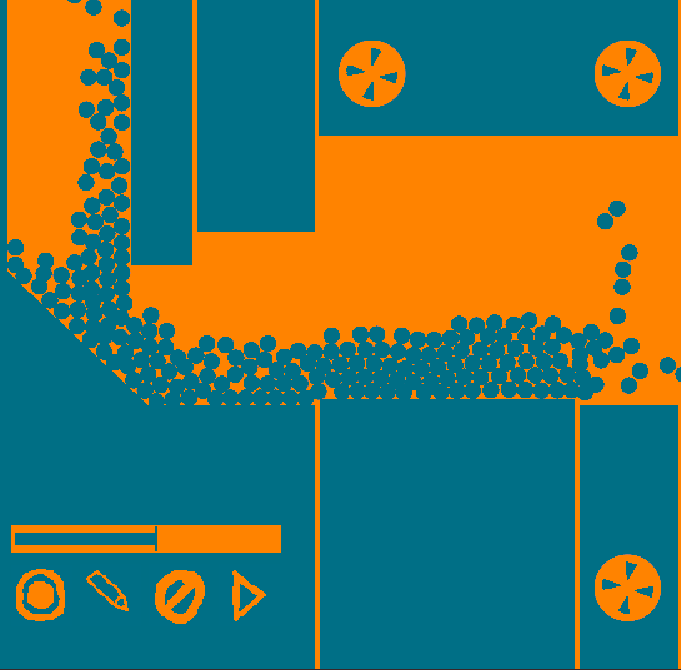
Click on a circle to select it. When it is selected, there will be an icon over top of it and the tool bar icons will change. When you select a circle you'll have a couple of options to help you.
1. Record Button - Dot
Will start a seven second loop when you can click on the selected circle to move part of the machine around. Your inputs are recorded and stored, to be played back later.
2. Test Recording - Pencil
Plays back only the selected part, to review
3. Delete recording - Trash can
Deletes the recorded inputs for the selection (if there is one)
4. Playback - triangle
Plays back all of the recordings together as well as releases all of the balls.
Once the required balls have entered the collection area, you can proceed to the next level.
-- Important Tip: The amount of balls that make it into the collection area from the previous level are released into the next level. So it may be helpful to get more than required.
I have only made 4 levels but will possibly add more in the future.
Comments
Log in with itch.io to leave a comment.
Very interesting mechanic—recording inputs and applying them to puzzles. I can see a lot of potential in expanding on this mechanic. One issue I ran into was that when I hit record, I could only select one dot at a time. I’m not sure if that was intentional or if I misunderstood part of the mechanic.